

If your business is not showing up on Google Maps, you are losing customers to competitors who are — and most of them are not doing anything extraordinary. They simply have an optimised Google Business Profile.
Google Business Profile (formerly Google My Business) is one of the most powerful free tools available to any local business in Kenya. Whether you run a pharmacy in Westlands, a law firm in Upper Hill, a restaurant in Kilimani, or a hardware shop in Thika, your profile on Google Search and Google Maps directly determines whether potential customers find you or scroll past you.
This guide covers everything you need to know about Google Business Profile in Kenya — from creating and verifying your listing to ranking higher on Google Maps, getting more reviews, and avoiding the mistakes that get profiles suspended. By the time you finish reading, you will know exactly what to do next.
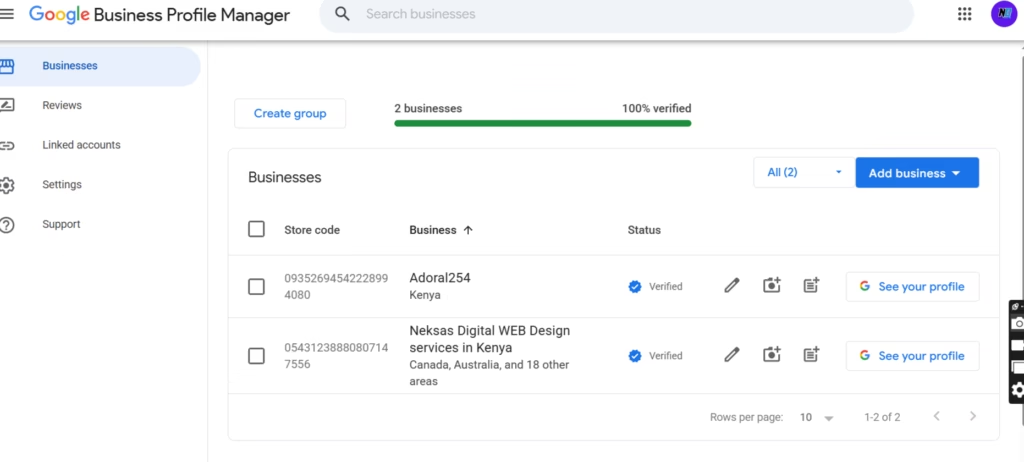
What Is Google Business Profile?
Google Business Profile (GBP) is a free business listing tool provided by Google. It allows business owners to control how their business appears on Google Search and Google Maps when someone searches for their business name or a related service nearby.
When someone types “pharmacy near me” or “best dentist in Nairobi” into Google, the results that appear in the map section — those three listings with stars, photos, and a phone number — are Google Business Profiles. That section is called the Local Pack, and showing up there can dramatically change how many calls, visits, and enquiries your business receives.
Google Business Profile was formerly called Google My Business, which is why you may still hear that name in older articles or from other business owners. The core function is the same: it is your free digital storefront on Google, and it sits at the centre of local SEO.
Your GBP listing shows your:
- Business name, address, and phone number
- Opening hours
- Website link
- Customer reviews and ratings
- Photos of your business, products, or team
- Services and products you offer
- Updates and posts you publish
- Answers to frequently asked questions
Done well, it becomes a 24-hour salesperson — answering questions, building trust, and directing customers to your door even while you sleep.
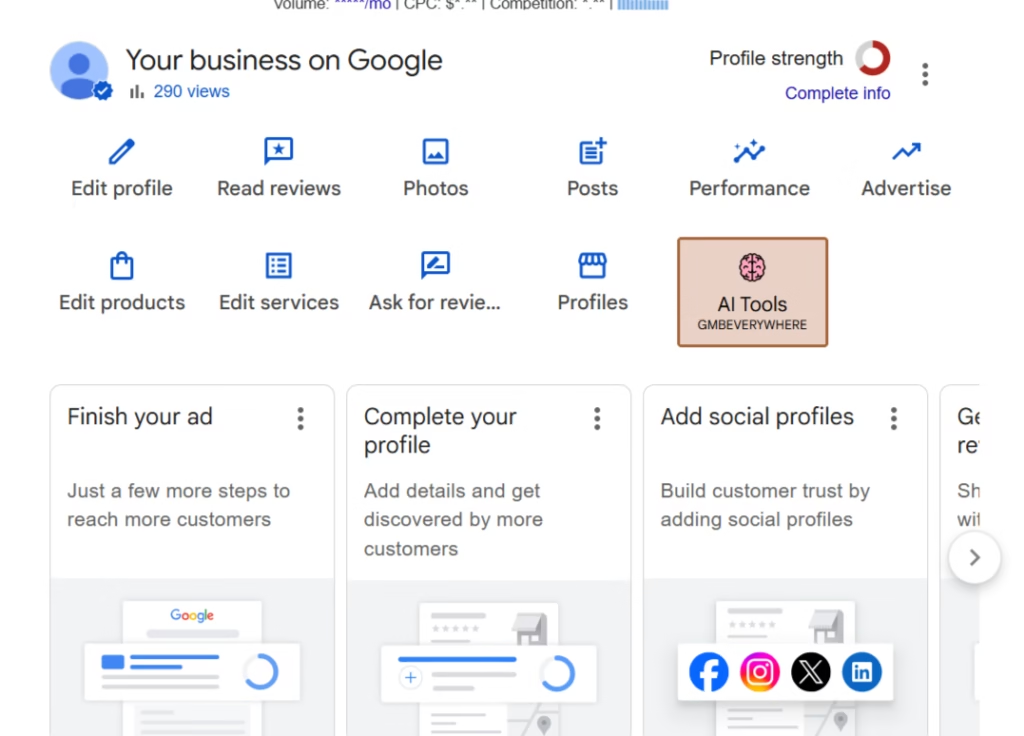
Why Google Business Profile Matters for Kenyan Businesses
Most Kenyan consumers start their search for local businesses on Google. Whether they are looking for a supermarket open on Sunday, a lawyer who handles land disputes, or an affordable salon in their estate, Google is where they go first. A Google Business Profile makes sure your business shows up when they search.
Here is what a well-managed profile can do for you.
Appear on Google Maps
When customers search for services near their location, Google displays a map with nearby businesses. Appearing here — especially in the top three spots — gives you visibility that no amount of flyers or word-of-mouth alone can match. Google Maps is now the first stop for many Nairobi residents before visiting any shop or service provider.
Generate More Phone Calls
Your GBP listing displays your phone number prominently. Customers can call you directly from Google Search or Maps without needing to visit your website. For businesses that rely on phone enquiries — clinics, law firms, real estate agencies, service providers — this is a significant source of inbound leads.
Increase Website Traffic
Every GBP listing includes a link to your website. When your profile ranks well on local search results, the traffic that flows through to your site is high-intent — these are people already looking for what you offer. This kind of traffic converts far better than general social media traffic.
Build Customer Trust
A complete and professional Google Business Profile signals legitimacy. Customers are more likely to trust a business that has verified contact details, real photos, consistent opening hours, and genuine customer reviews. An empty or incomplete listing, on the other hand, raises doubts — especially when a competitor’s profile looks polished and active.
Get More Reviews
Reviews are among the most powerful trust signals in local search. A business with 47 four-star reviews will almost always win a customer’s enquiry over a business with no reviews, even if the second business is technically better. GBP makes it easy for customers to leave reviews, and it gives you a platform to respond publicly — showing future customers that you are attentive and professional.
Improve Local SEO Rankings
Google Business Profile is not separate from SEO — it is a core part of it. How your profile is optimised, how many reviews you have, how consistent your business information is across the web, and how active you are on GBP all contribute to where you rank in local search results. A well-optimised profile supports your website’s SEO and vice versa.
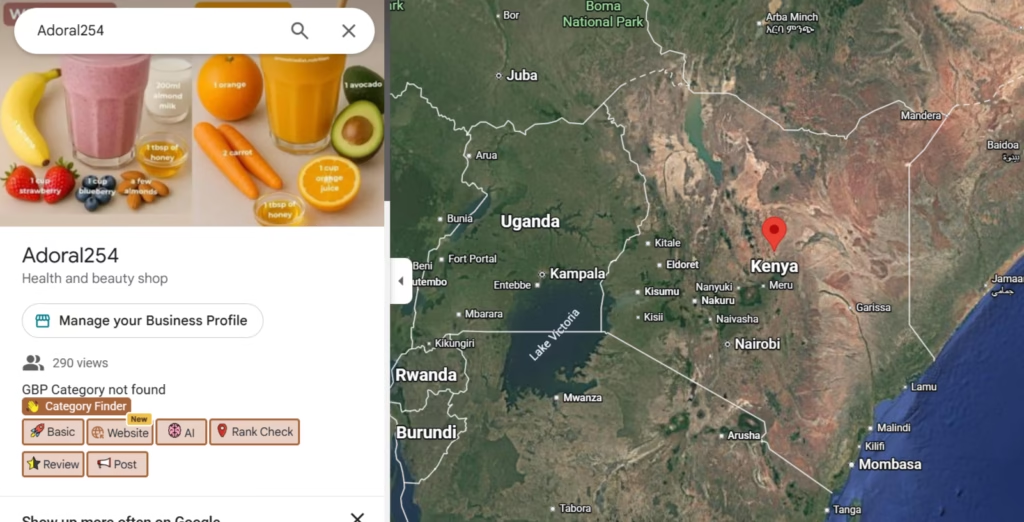
Who Should Create a Google Business Profile?
The short answer: any business that wants to be found by local customers in Kenya. More specifically:
Retail Shops — Clothing stores, electronics shops, supermarkets, pharmacies, hardware stores. If customers walk through your door, you need a GBP.
Pharmacies — Pharmacy clients we have worked with saw measurable increases in foot traffic and phone enquiries directly linked to their Google Business Profile. People search for pharmacies by location constantly, especially when they need something urgently.
Restaurants and Cafés — Food-related searches are among the highest-volume local searches on Google. If your restaurant is not on Google Maps with photos of your food and updated opening hours, you are invisible to a massive segment of potential customers.
Hotels and Guesthouses — Travellers and visitors to Nairobi and other Kenyan counties search Google Maps for accommodation. A fully optimised hotel profile with photos, pricing information, and reviews is essential for direct bookings.
Real Estate Companies — Property buyers and renters search online before they make a single call. A GBP listing builds credibility and directs potential clients to your listings or office.
Service-Based Businesses — Lawyers, doctors, dentists, accountants, marketers, consultants — if clients need to trust you before they hire you, your Google presence matters enormously. A well-reviewed GBP listing is often the first impression you make.
Online Businesses With Physical Operations — Even if you primarily sell online, if you have a pickup point, a studio, a showroom, or any physical touchpoint, a GBP listing helps local customers find and trust you.
If you serve customers in a specific geographic area — whether that is Nairobi, Mombasa, Kisumu, or any Kenyan town — a Google Business Profile should be a non-negotiable part of your marketing.
How to Create a Google Business Profile in Kenya
Creating your profile is free and straightforward. Here is how to do it step by step.
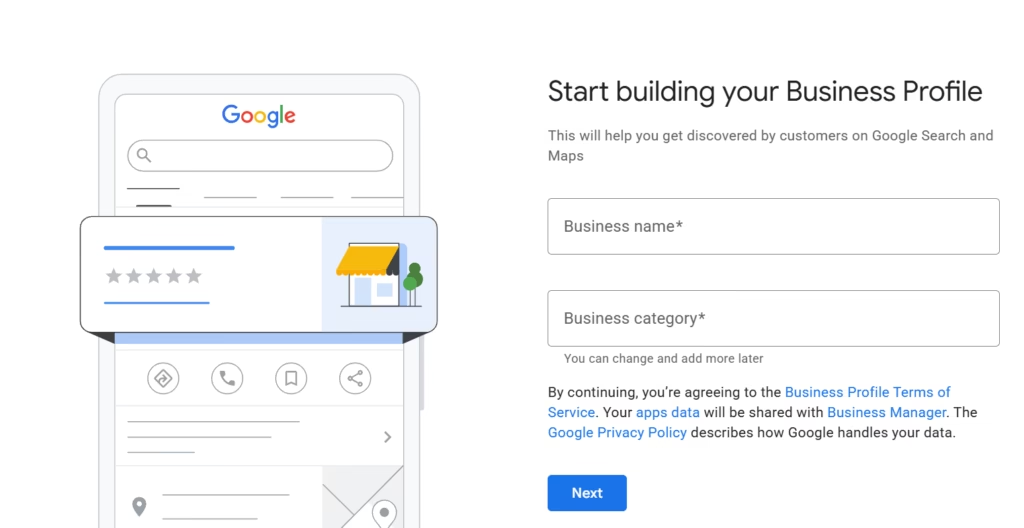
Step 1: Sign In With a Google Account
Go to business.google.com and sign in with the Google account you want to associate with your business. Use a business email if you have one rather than a personal Gmail account — it keeps things professional and easier to manage if you ever need to add a team member or agency.
Step 2: Enter Your Business Name
Type your exact business name. Be careful here — use the name your customers know you by. Do not add keywords to your business name (for example, “Nairobi Pharmacy — Best Pharmacy in Kenya”) as this violates Google’s guidelines and can lead to suspension.
Step 3: Select Business Category
Choose the category that best describes what your business does. This is one of the most important decisions you will make during setup because it directly affects which searches your profile appears for. Choose carefully — we cover business categories in depth later in this guide.
Step 4: Add Business Location
If you have a physical location customers can visit, add your address. If you operate from a location but prefer not to display the address publicly (for example, a home-based business), you can hide your address and set service areas instead. We cover service area businesses later in this guide.
Step 5: Add Contact Information
Add your business phone number and website URL. Make sure the phone number you add is active and monitored — this is how potential customers will reach you directly from Google.
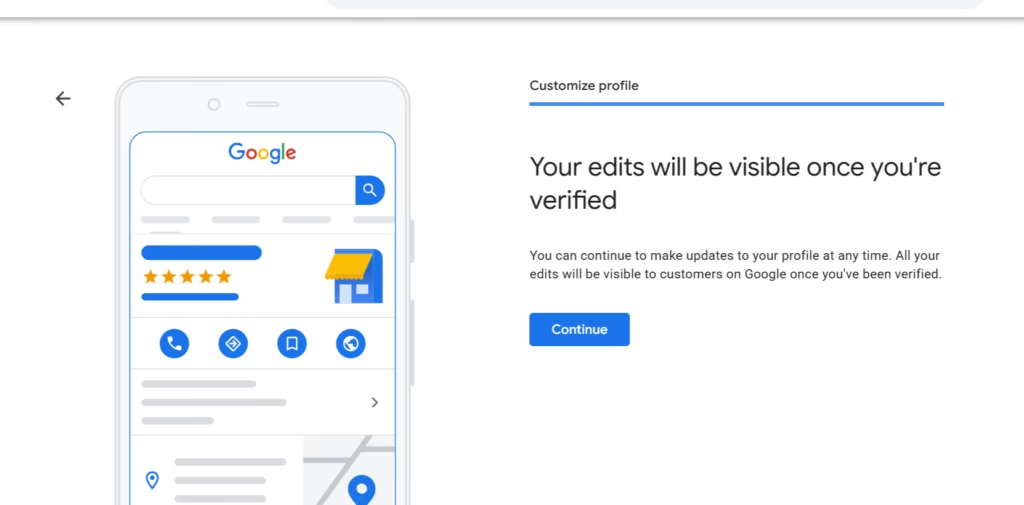
Step 6: Submit Verification Request
Once your information is entered, Google will ask you to verify your business. Verification confirms that your business is legitimate and that you are the owner. The verification process is covered in detail in the next section.
For a full step-by-step walkthrough with screenshots, read our dedicated guide: How to Create a Google Business Profile in Kenya.
How to Verify Your Google Business Profile
Verification is the step that many businesses get stuck on. Without verification, your profile will not show on Google Maps or Search, so it is essential to complete it.
Verification Methods
Google offers several ways to verify your business, and the options available to you may vary depending on your business type and location.
Video Verification — This has become the most common method. Google asks you to record a short video showing your business location, the exterior, interior, and proof that you operate from the address provided. The video is reviewed by Google’s team. This can take several days.
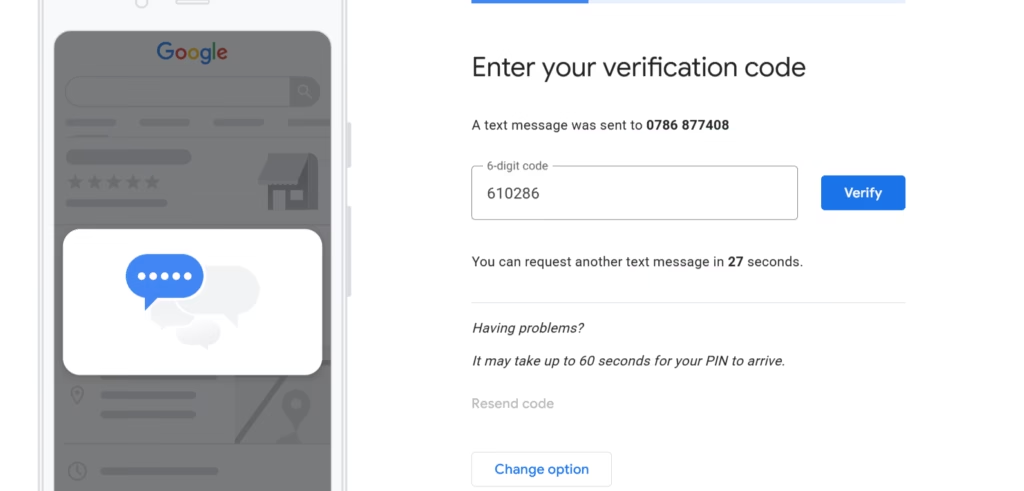
Phone Verification — Google calls your business number with an automated voice message containing a verification code. You enter the code to complete verification. This is one of the faster methods when available.
Email Verification — Google sends a verification code to your registered email address. This is quick and straightforward when this option is made available.
Postcard Verification — Google mails a postcard with a verification code to your business address. This typically takes 5–14 days to arrive. If you are in a remote area or if other methods are unavailable, this may be your only option.
Common Verification Challenges
Verification Rejected — If your video or information does not meet Google’s requirements, your verification may be rejected. Common reasons include a location that does not look like a legitimate business address, unclear video footage, or information that does not match what Google already knows about your area. Resubmit with clearer footage and ensure your business signage is visible.
Missing Business Address — If your business does not have a clearly defined physical address — for example, if you operate from a plot or building without a formal street address — verification can be challenging. Use your nearest landmark, building name, or estate as a reference point.
Shared Offices — If you operate from a co-working space or shared office, Google may question the legitimacy of your address if multiple businesses are listed there. Ensure your business is genuinely operating from that address and that your signage or presence at the location is visible.
Virtual Offices — Google does not allow businesses to use virtual offices or mail-forwarding addresses as their primary business address unless a genuine staff member is present at that location during business hours. Listings based on virtual offices are at high risk of suspension.
For detailed guidance on resolving verification issues, read our dedicated guide: How to Verify a Google Business Profile in Kenya.
How to Optimise Your Google Business Profile
Creating your GBP is only the beginning. An uncomplete or neglected profile will not rank well and will not convert visitors into customers. Optimisation is where the real work — and the real results — happen.
Complete Every Business Detail
Google rewards completeness. The more information you provide, the better Google understands your business, and the more likely it is to show your profile to relevant searchers.
Business Name — Use your exact trading name. No keyword stuffing.
Category — Your primary category should be the most accurate description of your main business activity. Add secondary categories to capture additional relevant searches.
Description — Write a clear, informative 750-character description of your business. Include your primary keywords naturally, but write it for humans first. Explain what you do, who you serve, and what makes you different. Avoid promotional language or special offers in the description field.
Opening Hours — Keep these accurate and up to date. Customers who arrive at a closed business because your hours were wrong will not come back — and may leave a negative review. Update your hours for public holidays.
Products — If you sell physical products, add them to your profile with names, prices, and descriptions. This gives your listing more content and helps Google understand what you offer.
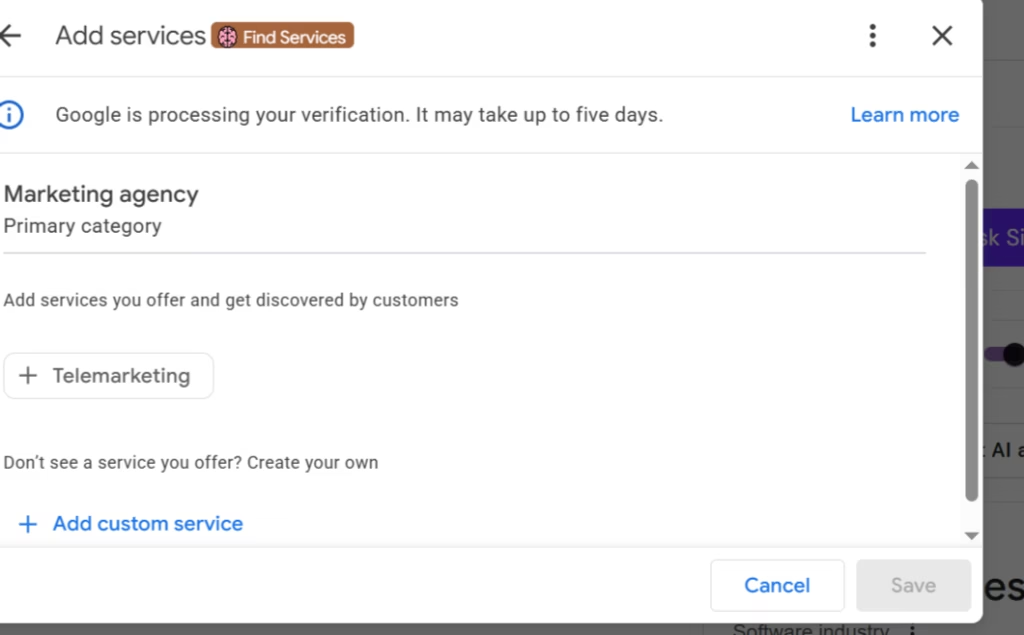
Services — Service-based businesses should list every service they offer. Include service names and descriptions. This directly influences which keyword searches your profile appears for.
Attributes — Attributes are the small tags that tell customers extra details about your business — things like “Accepts Mpesa,” “Wheelchair accessible,” “Free Wi-Fi,” or “Women-led business.” These matter to customers and add richness to your listing.
Business Logo — Upload a clean, high-resolution version of your logo. This helps with brand recognition and makes your profile look professional.
Cover Photo — Your cover photo is the first image most customers see. Choose a high-quality image that represents your business well — your shopfront, your team, or your most popular product or service.
Business Photos — Upload a variety of photos: your exterior, your interior, your products, your team, and your work in action. Listings with photos receive significantly more clicks and direction requests than those without. Aim for at least 10 high-quality photos to start, then add more regularly.
For a full checklist of everything your profile needs, read our: Google Business Profile Optimisation Checklist.
How to Rank Higher on Google Maps
Getting your profile live is one thing. Ranking in the top three spots in the Local Pack is what generates consistent, high-quality enquiries. To do that, you need to understand how Google decides which businesses to show.
Understanding Google’s Local Ranking Factors
Google uses three main signals to determine local rankings:
Relevance — How closely does your business profile match what the user is searching for? This is influenced by your business category, the services and products you list, your business description, and the keywords present in your profile. A pharmacy that has listed all its services, added product photos, and has a description mentioning “prescription medications, over-the-counter drugs, and baby products” will rank more relevantly than one with a bare-bones profile.
Distance — How close is your business to the person searching, or to the location they specified? This is partially outside your control — you cannot move your business. However, listing your correct address, setting accurate service areas, and having consistent location information across the web all ensure Google can accurately assess your proximity.
Prominence — How well-known and authoritative is your business, both online and offline? This includes the number and quality of your Google reviews, mentions of your business on other websites (local citations), your website’s domain authority, and your activity on Google Business Profile itself.
Optimisation Tips
Choose Correct Categories — Your primary category is one of the strongest ranking signals in local search. If you run a dental clinic, your primary category should be “Dentist” — not “Health” or “Medical clinic.” Take time to research the most specific, accurate category for your business.
Add Services — Businesses that list detailed services rank for more search terms. A marketing agency that lists “Google Ads Management,” “SEO Services,” “Social Media Management,” and “Google Business Profile Optimisation” has far more chances of appearing in relevant searches than one with no services listed.
Add Photos Regularly — Regular photo uploads signal to Google that your business is active. Aim to add at least two to four new photos per month. Fresh, high-quality images also improve click-through rates when customers find your profile.
Publish Google Posts — Google Posts are short updates that appear on your profile — similar to a social media post. Use them to share promotions, announcements, new services, events, or helpful tips. Posting at least once per week keeps your profile active and gives customers fresh content to engage with.
Earn Local Backlinks — When local websites, directories, newspapers, and industry associations link to your business website, Google sees your business as more prominent. Getting listed in directories like Yellow Pages Kenya, Mocality, or relevant industry associations helps build this prominence.
Maintain NAP Consistency — NAP stands for Name, Address, and Phone number. Your business name, address, and phone number should be exactly the same everywhere they appear online — on your website, your Facebook page, your GBP listing, and any directories. Inconsistencies confuse Google and can hurt your rankings.
Encourage Customer Reviews — Reviews are one of the strongest ranking signals in local search. The more genuine, positive reviews you have, the more Google favours your listing. We cover this in detail in the next section.
For a deeper dive into ranking strategies, read our guide: How to Rank Higher on Google Maps.
How to Get More Google Reviews
Reviews can make or break a local business. A business with 60 four-star reviews will almost always rank above and convert better than one with 5 reviews — even if the second business is genuinely superior. Reviews are both a ranking signal and a trust signal.
Why Reviews Matter
The numbers speak clearly. Studies consistently show that the majority of consumers read online reviews before visiting a local business, and most trust those reviews as much as a personal recommendation. For Kenyan consumers, who are increasingly research-savvy and making decisions on their phones, this holds true.
Beyond trust, reviews also influence your ranking in the Local Pack. Google considers the quantity of reviews, the average star rating, the recency of reviews, and how you respond to them.
Best Ways to Ask for Reviews
The biggest barrier to getting reviews is simply not asking. Most happy customers do not leave reviews unless they are prompted. Here are the most effective ways to ask:
WhatsApp Requests — For businesses that communicate with customers on WhatsApp (which is most Kenyan businesses), send a follow-up message after a purchase or service. Include your Google review link and a simple, friendly ask. Keep it brief — “Hi [Name], thank you for visiting us. If you had a good experience, we would really appreciate a quick review on Google. Here is the link: [link].”
SMS Requests — If you collect customer phone numbers, an SMS request after service can be highly effective. The response rate on SMS is higher than email in most markets, and this is especially true in Kenya.
Email Requests — For businesses with an email list, include a review request in your post-purchase or post-service follow-up email. Automate this where possible so every customer receives the ask.
QR Code Review Requests — Print a QR code that links directly to your Google review page and display it at your counter, on your receipts, or on a table card. This makes it effortless for customers to leave a review while they are still on your premises.
Review Mistakes to Avoid
Buying Reviews — Purchasing fake reviews is a direct violation of Google’s policies. When detected, Google will remove the reviews and may suspend your entire profile. It is not worth the risk — and discerning customers can often spot fake reviews anyway.
Fake Reviews — Do not ask friends, family, or colleagues who have never used your business to leave reviews. These are considered fake even if the people writing them are real. Google’s algorithms are increasingly good at detecting patterns that suggest review manipulation.
Incentivised Reviews — Offering discounts, gifts, or any form of compensation in exchange for reviews violates Google’s guidelines. You can ask customers to review you — you just cannot bribe them to do so.
For a complete review strategy, read our guide: How to Get More Google Reviews.
Understanding Google Business Categories
Categories are one of the most underestimated elements of Google Business Profile optimisation — and one of the most impactful.
Primary Category
Your primary category tells Google what your business fundamentally is. Google uses this to match your listing to relevant searches. Choose the most specific, accurate category that describes your main business activity. If you are a dentist, choose “Dentist” — not “Health” or “Clinic.” If you run a pharmacy, choose “Pharmacy” — not “Health store.”
Secondary Categories
Google allows you to add secondary categories that cover additional things your business offers. A pharmacy might add “Medical supply store” or “Beauty supply store” as secondary categories. A restaurant might add “Takeaway restaurant” or “Catering food and drink supplier.” Use secondary categories to expand the range of searches your profile can appear for — but only add categories that genuinely apply to your business.
Common Category Mistakes
The most common category mistake is being too broad. Choosing “Store” instead of “Electronics store,” or “Restaurant” when you specifically run a “Fast food restaurant,” costs you ranking precision. The more specific your category, the more relevant your profile appears to the right searches.
Another mistake is adding irrelevant categories to try to capture more searches. This can confuse Google about what your business does and may actually reduce your rankings in your core category.
Best Categories for Kenyan Businesses
Some of the most commonly needed primary categories for Kenyan businesses include: Pharmacy, Restaurant, Law firm, Real estate agency, Hotel, Supermarket, Dental clinic, Digital marketing agency, School, and Accounting firm. Each of these has more specific sub-options — always drill down to the most precise match.
For a complete breakdown, read our guide: Google Business Profile Categories Explained.
Google Business Profile for Service Area Businesses
Not every business has a storefront. If you go to your customers rather than them coming to you, you are what Google calls a Service Area Business (SAB).
Examples of service area businesses in Kenya include:
- Plumbers and electricians
- Digital marketing agencies
- Cleaning services
- Delivery businesses
- Mobile caterers
- Pest control companies
- Home tutors
How to Set Service Areas Correctly
Instead of displaying a physical address, SABs can list the areas they serve. You can set service areas by city, county, or neighbourhood. Be specific — setting your service area as all of Kenya when you only serve Nairobi will not help your rankings and may confuse Google about your relevance.
Add each area you genuinely serve. If you serve Westlands, Karen, Kilimani, and Lavington, add each of those. Google uses this to determine which local searches your profile is relevant for.
Should You Hide Your Address?
If you operate from home or a location you do not want publicly displayed, you can hide your address while still listing your service areas. This is a legitimate option and keeps your personal address private. However, note that profiles without a displayed address may have a slightly harder time ranking than those with a verified physical location.
For full guidance on this setup, read our guide: Google Business Profile for Service Area Businesses.
Why Google Business Profiles Get Suspended
A suspended profile disappears from Google Search and Google Maps entirely — which means zero visibility, zero calls, and zero customer enquiries until the issue is resolved. Understanding why suspensions happen is the first step to avoiding them.
Common Reasons for Suspension
Keyword Stuffing in the Business Name — Adding keywords to your business name (for example, “Nairobi Dental — Best Dentist in Kenya”) violates Google’s guidelines. Your business name must match your actual, registered trading name.
Fake or Unverifiable Address — Listing an address where your business does not actually operate — including virtual offices, mailbox addresses, or locations where you have no genuine presence — is a common cause of suspension.
Multiple Listings — Creating more than one GBP listing for the same business location is not allowed. If you have accidentally created duplicate listings, contact Google to have the duplicates removed rather than trying to manage multiple profiles.
Inconsistent Information — If your business name, address, or phone number on your GBP listing conflicts sharply with information on your website or other directories, Google may flag your profile as potentially fraudulent.
Policy Violations — Any content on your profile that violates Google’s policies — including inappropriate photos, misleading information, or attempts to game the ranking system — can lead to suspension.
How to Recover a Suspended Profile
If your profile is suspended, start by reviewing Google’s guidelines to identify what triggered the suspension. Then submit a reinstatement request through Google’s Business Profile Help Centre, providing documentation that proves your business is legitimate — such as a business registration certificate, utility bill, lease agreement, or photos of your premises.
Recovery can take weeks, and Google does not always communicate clearly about the reason for suspension. Working with an experienced GBP specialist can significantly speed up the process.
For a full recovery guide, read: Why Your Google Business Profile Was Suspended.
Common Google Business Profile Mistakes
Even businesses that have created and verified their profiles often make mistakes that quietly cost them rankings and customers. Here are the most common ones.
Incomplete Profile — A profile missing photos, services, a description, or updated hours signals neglect to both Google and potential customers. Completeness is a ranking factor and a conversion factor.
Wrong Category — Choosing a broad or inaccurate primary category means your profile appears for the wrong searches — or does not appear at all for the right ones.
Ignoring Reviews — Not responding to reviews — positive or negative — misses an opportunity to build trust. Responding to negative reviews professionally, without being defensive, is particularly powerful. Potential customers read your responses to complaints to assess how you handle problems.
Not Posting Updates — Businesses that never post Google Updates signal low activity. Regular posts keep your profile fresh, give customers useful information, and may support your rankings.
Low-Quality Photos — Blurry, dark, or poorly composed photos create a poor impression. In some cases, they are worse than having no photos at all. Use a decent smartphone camera and take photos in natural light.
Inconsistent Business Information — If your address appears differently across your website, Facebook, and GBP listing — even minor differences like “Street” vs “St.” — this can dilute your local SEO signals. Audit all your online listings for NAP consistency.
For more on this, read our guide: Top Google Business Profile Mistakes Kenyan Businesses Make.
Google Business Profile vs Website: Do You Need Both?
A question many Kenyan business owners ask: if I have a Google Business Profile, do I still need a website? The answer is yes — and here is why.
The Differences
Your Google Business Profile is a listing on Google’s platform. You do not own it — Google does. Your profile operates within Google’s rules, displays in a format Google controls, and can be suspended or removed by Google.
Your website is your own digital property. You control it completely. It can carry far more information, tell your full story, host your portfolio or products, capture leads, and rank for a wider range of search terms through SEO.
Why You Need Both
Your GBP and your website work together. Google Business Profile drives local search visibility and direct customer actions — calls, direction requests, and quick enquiries. Your website handles deeper engagement — customers who want to learn more, read your case studies, check your pricing, or fill in a contact form.
A business with a strong GBP and no website is leaving significant authority and conversion potential on the table. A business with a great website but no GBP is invisible to the vast majority of local search traffic.
How They Work Together
When someone searches for a service you offer, your GBP listing can appear in the Local Pack at the top of the results. If they click to your website from that listing, they land on a page that reinforces your credibility with detailed information. Your website’s domain authority in turn supports your GBP’s prominence — it is a reinforcing cycle.
For a full comparison, read our guide: Google Business Profile vs Website: Do You Need Both?
Frequently Asked Questions About Google Business Profile in Kenya
Is Google Business Profile Free?
Yes. Creating, verifying, and managing a Google Business Profile is completely free. There is no subscription fee. The only time you might pay is if you hire a professional to set it up and optimise it for you — which many businesses do to save time and get results faster.
How Long Does Verification Take?
It depends on the verification method. Phone and email verification can be completed in minutes. Video verification typically takes a few days to a week for Google to review. Postcard verification takes 5–14 business days for the postcard to arrive, plus time to enter the code.
Can I Have More Than One Listing?
No — you cannot create more than one Google Business Profile for the same business at the same location. Having multiple listings for the same business is a policy violation and can lead to suspension of all listings involved. If you have multiple locations, each physical location can have its own separate listing.
Can I Change My Business Address?
Yes. You can update your business address in your GBP dashboard. However, significant address changes may trigger a re-verification requirement, so be prepared to verify your new location.
What If My Business Has No Physical Location?
If you serve customers at their location rather than inviting them to yours, you can set up your profile as a Service Area Business and hide your physical address. You will still need to enter an address during setup for verification purposes, but you can choose not to display it publicly.
How Do I Remove a Duplicate Listing?
If you find a duplicate listing for your business — perhaps one created by a previous owner, Google’s automated system, or by mistake — you can suggest an edit on the duplicate listing to mark it as closed or duplicate, or you can use the Google Business Profile support channel to request removal.
Why Is My Business Not Showing on Google Maps?
The most common reasons include: your profile has not been verified, your profile is incomplete or newly created (new profiles take time to gain traction), your category is not relevant to the search query, or your prominence is lower than competitors ranking above you. An SEO audit of your GBP can identify the specific issue.
Can I Rank Without a Website?
Technically yes — you can appear in the Local Pack with only a GBP and no website. However, not having a website limits your overall prominence score and removes a major trust and conversion tool. Businesses with websites consistently rank better and convert more customers from their GBP listings.
How Neksas Digital Can Help
At Neksas Digital, Google Business Profile management is one of our core services. We have set up, verified, and optimised GBP listings for businesses across multiple sectors in Kenya — and we have seen first-hand how much of a difference a properly managed profile makes.
Here is what we do:
GBP Setup — We create your Google Business Profile from scratch, with every field completed accurately and strategically from day one.
Verification Support — If you are struggling with video verification, rejected submissions, or technical issues, we walk you through the process and handle the back-and-forth with Google where needed.
GBP Optimisation — We do a full audit of your existing profile and optimise it for your target keywords, your local area, and your business goals. This includes categories, services, descriptions, photos, and attributes.
Google Maps Ranking — Beyond the profile itself, we implement the off-profile strategies — local citations, NAP consistency, review generation, and Google Posts — that drive sustained ranking improvement in the Local Pack.
Review Strategy — We build you a practical system for generating more genuine customer reviews through WhatsApp, SMS, and QR codes — tailored to how your business actually operates.
Suspension Recovery — If your profile has been suspended, we diagnose the issue, prepare your reinstatement documentation, and manage the process of getting your listing restored.
Whether you are starting from zero or trying to rank above the competition in a crowded market, we can help you get results on Google Maps that translate directly into more customers.
Conclusion
Google Business Profile is not optional for any Kenyan business that wants to be found online. It is free, it is powerful, and when properly managed, it generates real enquiries from real customers who are actively looking for what you offer.
To recap what we have covered:
- Every local business in Kenya should have a verified, complete Google Business Profile.
- Optimisation — categories, services, photos, and descriptions — is what separates profiles that rank from those that do not.
- Reviews, Google Posts, and NAP consistency are ongoing activities, not one-time tasks.
- Service area businesses, retail shops, and everything in between can benefit from a well-managed profile.
- Common mistakes like keyword stuffing, incomplete information, and ignoring reviews are costing businesses customers every day.
- Your GBP and your website work best together — one without the other leaves money on the table.
If you set up and optimise your profile today, you will be ahead of the majority of Kenyan businesses that still have incomplete or unverified listings. And if you want to move faster and rank higher without spending weeks figuring it out yourself, that is exactly what we are here for.
Need help setting up, verifying, or optimising your Google Business Profile?
Contact Neksas Digital today and let us help your business rank higher on Google Search and Google Maps — and turn those rankings into consistent, qualified enquiries.
Get in Touch With Neksas Digital →
Neksas Digital is a boutique digital marketing agency based in Nairobi, Kenya, specialising in Local SEO, Google Business Profile management, Google Ads, and lead generation for SMEs in Kenya and beyond.
